Dashboards and Website Visual Domain
Overview: The project focused on mapping the Visual Domain client journey, identifying key challenges, and creating a comprehensive user flow to highlight pain points and opportunities for improvement.
Role: UX researcher, UX/UI designer, Project manager, Graphic designer
Toolkit: Figma, Adobe XD, Adobe CC, Confluence, Jira, Pencil and paper, Agile environment

UX Research
Current setup
I am unable to share current or past setups because of the company’s privacy policies.
Background & Goal
The current Client VMS (Dashboard) is underutilized due to limited functionality and a lack of understanding among team members. Additionally, there is no system to track client activity, such as which pages are accessed or time spent, highlighting the need for better insights. The nature of client projects has evolved significantly, yet the systems have not adapted accordingly. Most client interactions occur through email, with each project generating 6–12 emails. For clients managing 10+ projects weekly, this results in an overwhelming volume of communication.
Competitive Analysis
The approach to start with competitive analysis laid the framework to better understand who my direct competitors were in the Video Production industry and what their strengths and weaknesses are. I could quickly see a gap in the market.
One Day Video | Milk Video | 90 Seconds
*Due to company privacy policies, I am unable to share all of my research.
Research plan + Interviews
The interview process starts with creating a research plan. This outlines 7 key components:
Project background/problem
Research goals
Research Objectives
Research Questions
Methodologies
Hypothesis
Timeline
Research objectives
Determine how consumers make insurance purchasing decisions
Understand how users navigate competitor websites
Understand the visual aesthetic consumers are looking for
Learn what detractors stop consumers from converting into a sale
One-one Interviews
I have conducted interviews with current users across various age groups to gather information about their daily tasks and how they use the current dashboards to address these tasks. My goal is to identify the most commonly used features and to gather new ideas for improving the VMS user experience, enabling customers to complete their daily tasks more efficiently.
*Due to company privacy policies, I am unable to share all of my research.
Age: 54
Gender: Male
Occupation: Occasional User – Marketing Specialist
Question: How often do you use the Client VMS, and what are your main reasons for accessing it?
Response: I log in once or twice a week to download assets or check for updates, but I avoid using it more because it feels cumbersome.
Question: What challenges have you encountered while navigating the dashboard?
Response: The navigation isn’t intuitive. It takes too long to find what I’m looking for, like files or status updates.
Question: Are there any functionalities you wish were more intuitive or accessible?
Response: Yes, file management and notifications. I wish I could receive updates directly in the system instead of relying on email reminders.
Question: Do you feel the dashboard supports your needs, or do you rely on email or other tools?
Response: I mostly rely on email because it’s faster, even though it’s not ideal for tracking.
Question: What improvements would encourage you to use the dashboard more frequently?
Response: A cleaner interface, better search functionality, and integration with our email would make it much more appealing.
Age: 34
Gender: Male
Occupation: New User – Client Administrator
Question: Describe your first experience using the Client VMS. What stood out to you?
Response: It felt overwhelming. There was no clear onboarding, and I wasn’t sure where to start.
Question: Were there any points where you felt lost or confused?
Response: Yes, when trying to upload files and access project updates. The layout isn’t intuitive for new users.
Question: How did you learn to use the system, and was it sufficient?
Response: I had to rely on colleagues to guide me, as there were no tutorials or help resources available in the system.
Question: What tools or features do you think are missing for someone new to the platform?
Response: A guided onboarding process or tooltips explaining key features would be incredibly helpful.
Question: How do you feel the VMS could better support you in managing your tasks?
Response: It needs to be more user-friendly, with clear instructions and a dashboard that prioritizes essential tasks like uploads and approvals.
Age: 40
Gender: Female
Occupation: Frequent User – Project Manager
Question: Can you walk me through how you currently use the Client VMS for your projects?
Response: I primarily use the VMS to check project statuses and upload assets, but I often find it easier to rely on email because the dashboard feels cluttered and unintuitive.
Question: Are there specific tasks you find difficult or time-consuming?
Response: Tracking updates and approvals is frustrating. It’s hard to know where things are in the workflow without back-and-forth emails.
Question: How do you currently track project progress and communication?
Response: Mostly through email threads and spreadsheets, which becomes overwhelming with multiple projects running simultaneously.
Question: What features would make your day-to-day work easier or more efficient?
Response: A clear timeline or visual representation of project progress would help, along with centralized communication that reduces email dependency.
Question: How do you feel about the volume of email communication for each project?
Response: It’s excessive. With 10+ projects, the email load is unmanageable. Integrating communication into the VMS would be a game-changer.
Examination
Understanding the current user behaviour
Examined a few selective personas to check how they use the current VMS and identify user experience issues and pain points. Moreover, for better understanding, we have used heat maps and mouse tracking.
User Persona 1
Mrs. Emily Wright
Role: Project Manager, High-Volume Client
Demographics:
- Age: 38
- Location: Melbourne, Australia
- Industry: Media and Marketing
Goals:
- Efficiently track the status of 10+ simultaneous projects.
- Minimize reliance on email for communication.
- Access a clear and intuitive dashboard for project updates and approvals.
Pain Points:
- Overwhelmed by excessive email communications (6–12 emails per project).
- Finds the current dashboard unintuitive and lacks insights into project timelines.
- Struggles with inconsistent file management and tracking.
Needs:
- Visual timelines for project tracking.
- Integrated communication within the VMS to reduce email volume.
- Centralized file management for easy access.
User Persona 2
Miss. Sarah Jones
Role: Marketing Specialist, Casual User
Demographics:
- Age: 30
- Location: Sydney, Australia
- Industry: E-commerce
Goals:
- Quickly download assets for weekly campaigns.
- Simplify navigation to save time during infrequent logins.
- Stay updated without relying heavily on email notifications.
Pain Points:
- Finds it difficult to navigate and locate assets in the VMS.
- Relies on email reminders due to lack of notifications in the system.
- Minimal usage due to cumbersome interface and lack of onboarding.
Needs:
- Intuitive navigation with improved search functionality.
- Clear onboarding and help resources for infrequent users.
- Centralized notifications for updates and reminders.
Research Findings

Finding the right angle
Effortless registration and order process

Timing your freedom
Easy order process on multiple devices

Adding more options
Able to access all the available services
Information Architecture
Based on the gathered information, I have initiated wireframing and conducted card sorting to streamline the organization of the information architecture. Once the structure is finalized, I will seek approval. Additionally, I have begun designing initial prototypes using Adobe Illustrator to visualize the user interface and layout effectively.
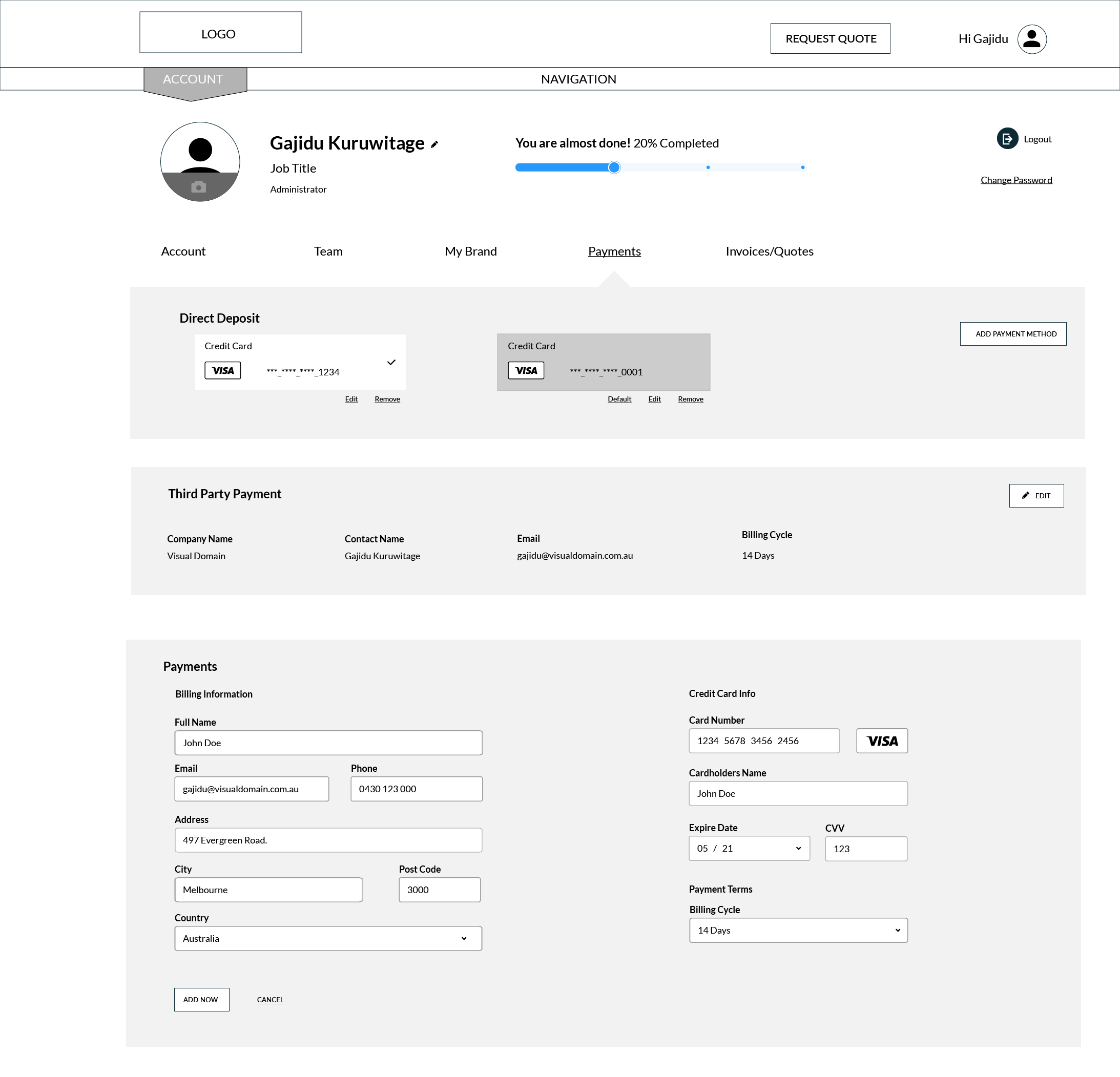
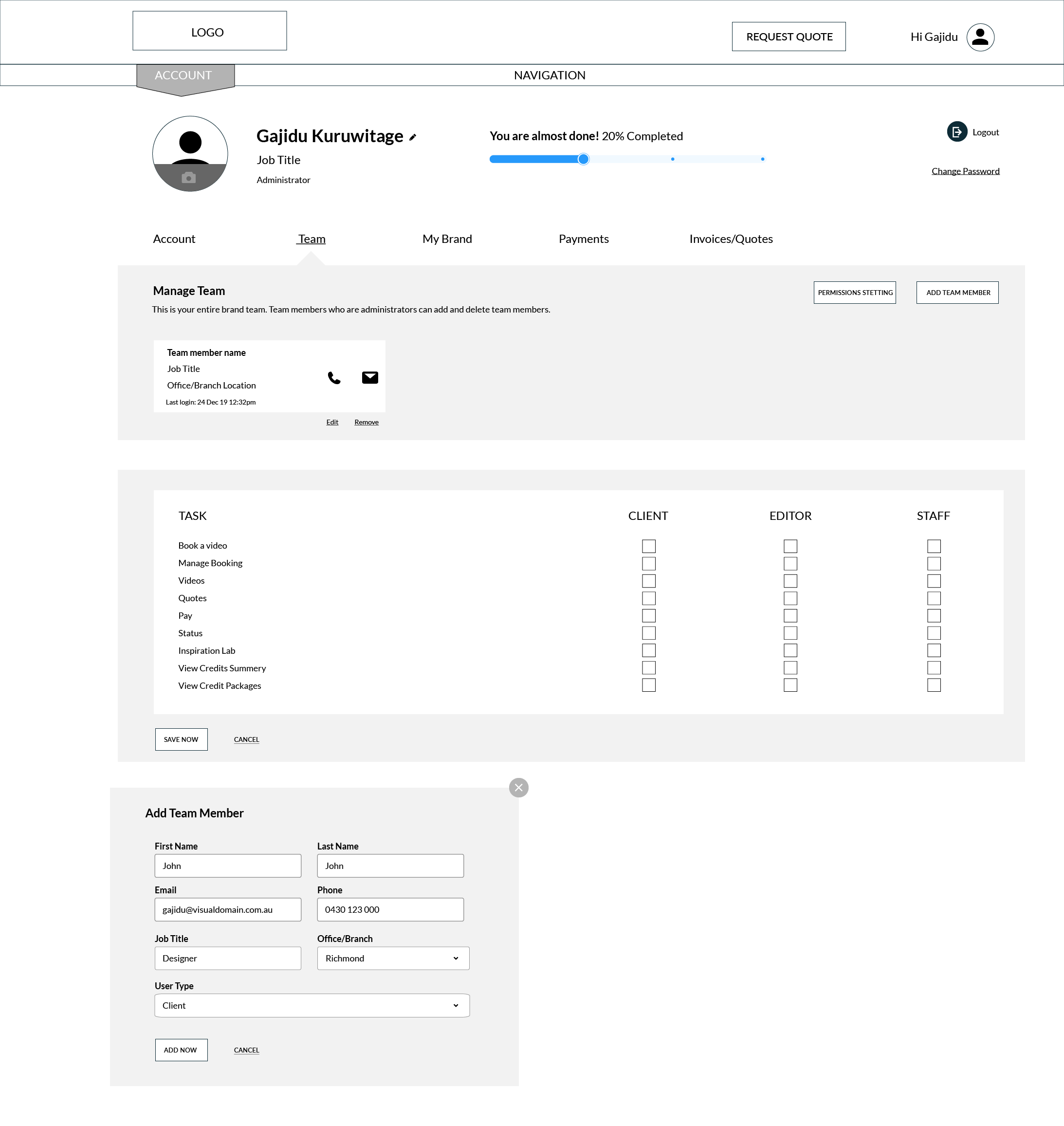
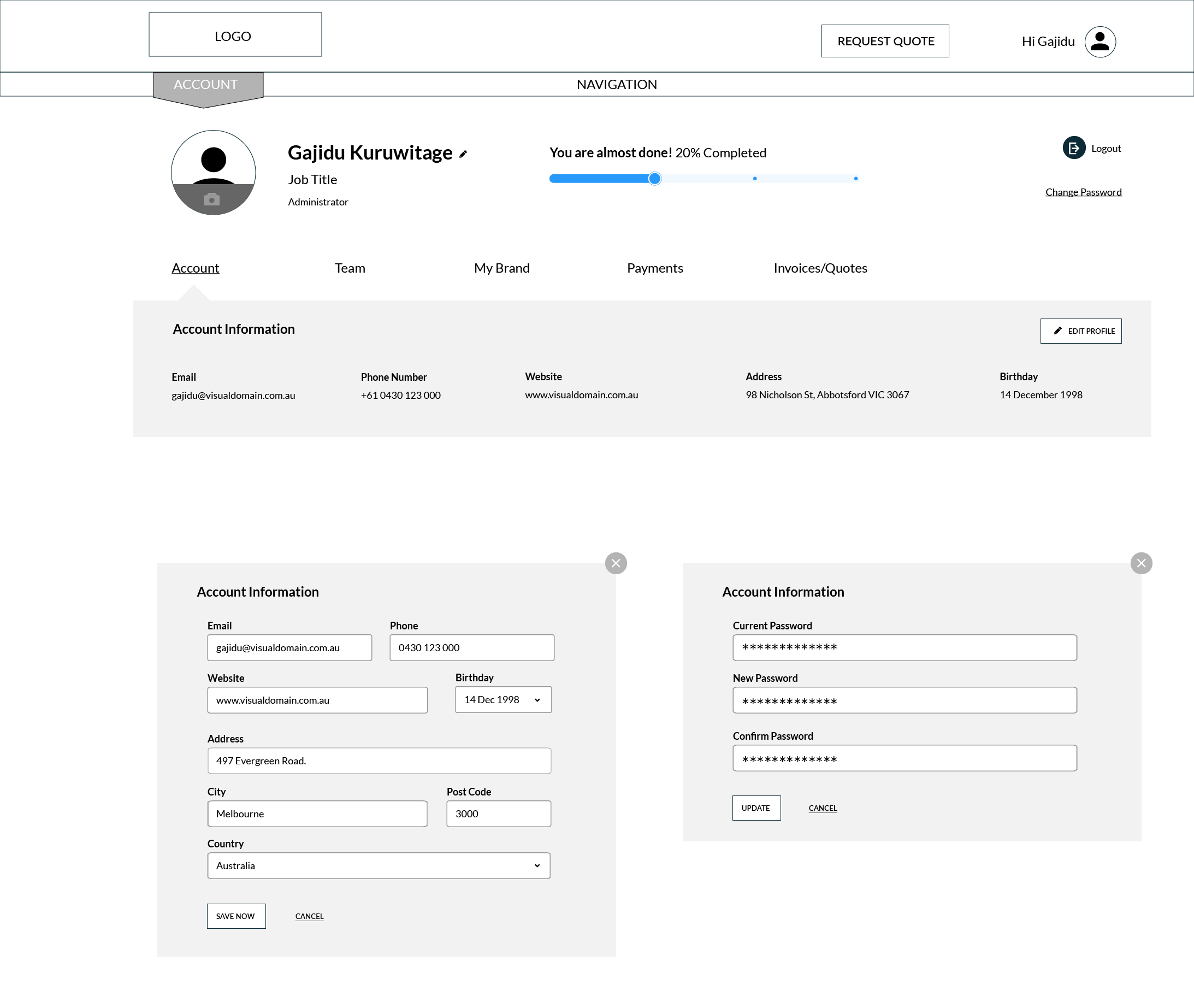
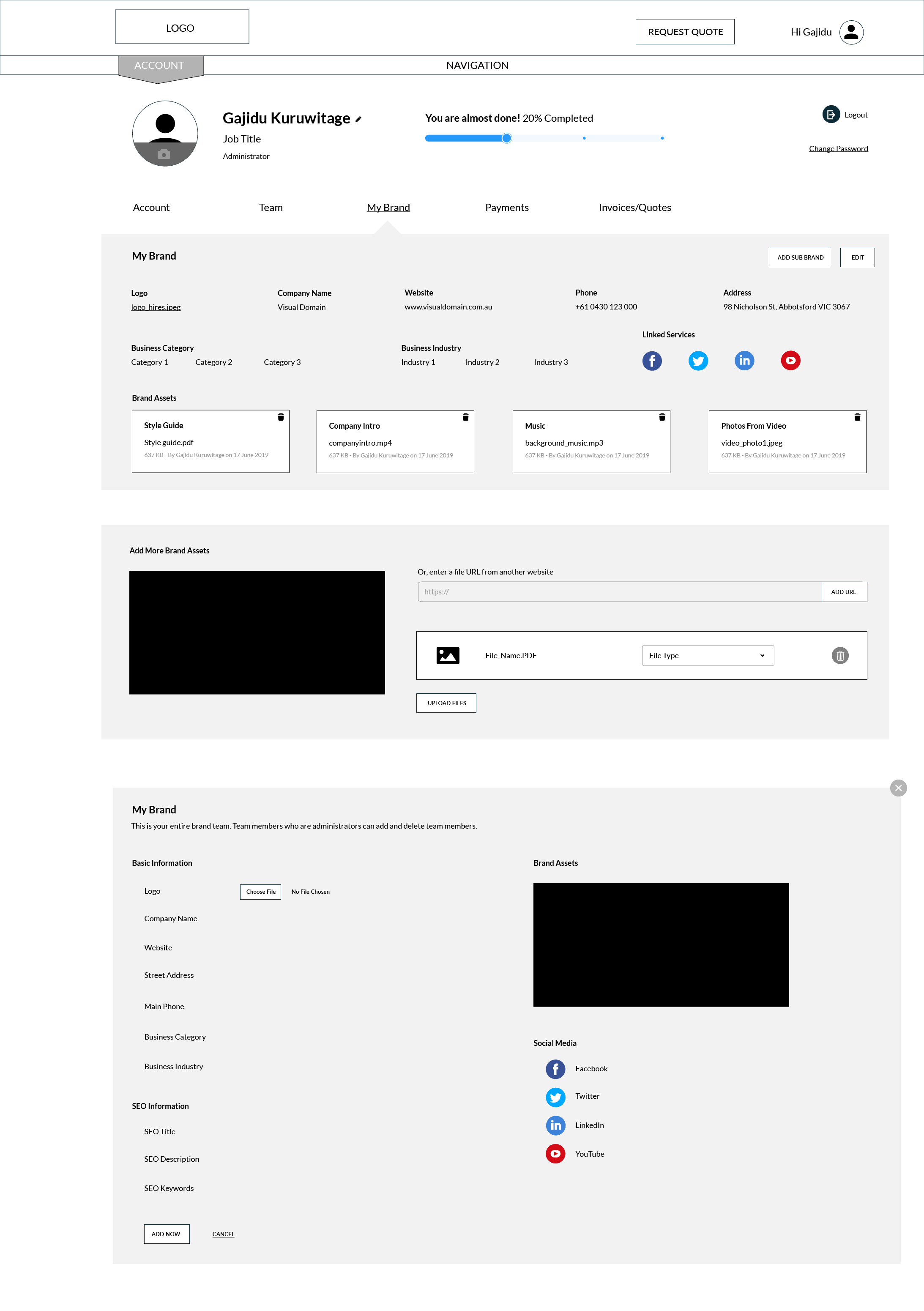
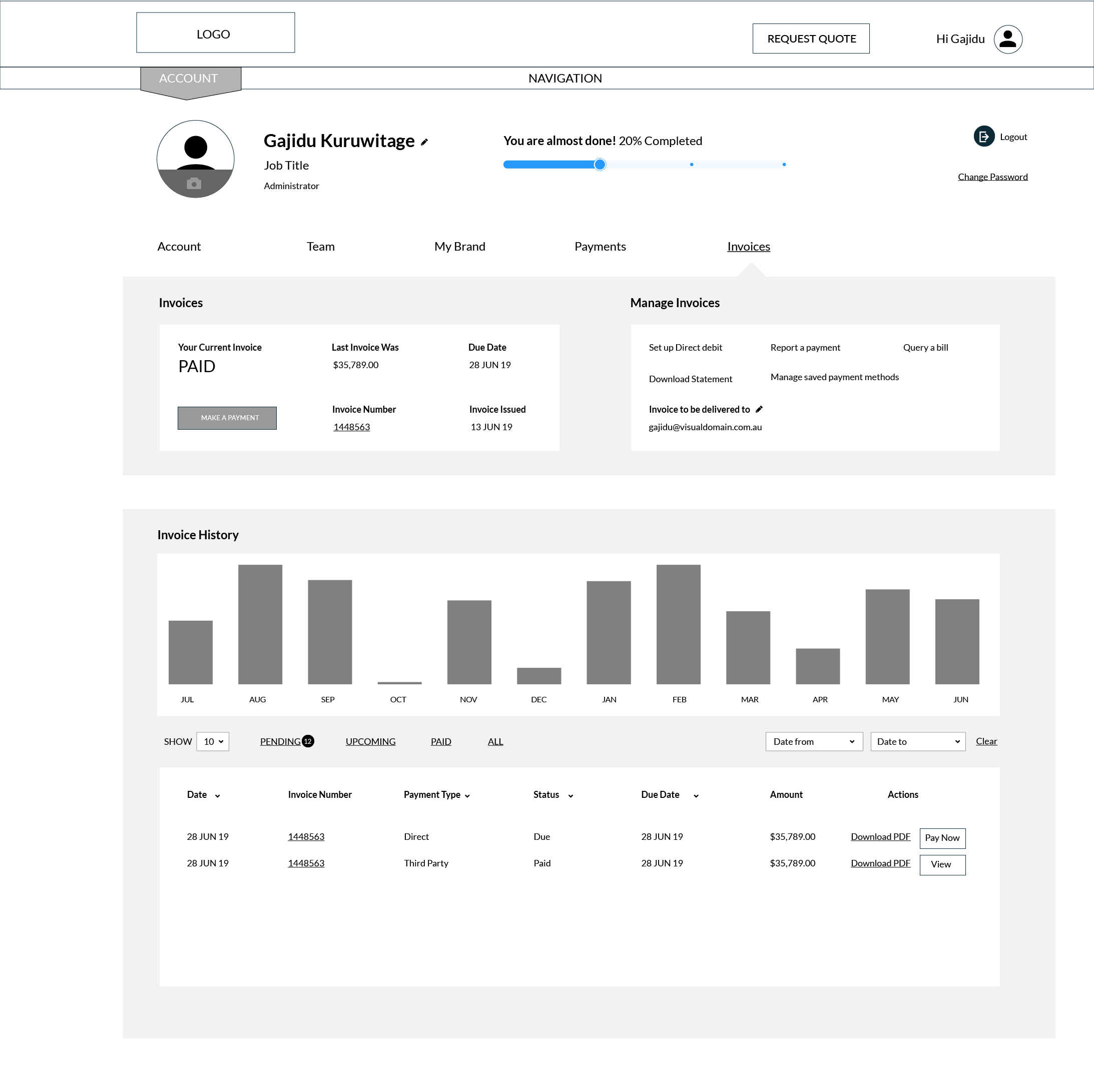
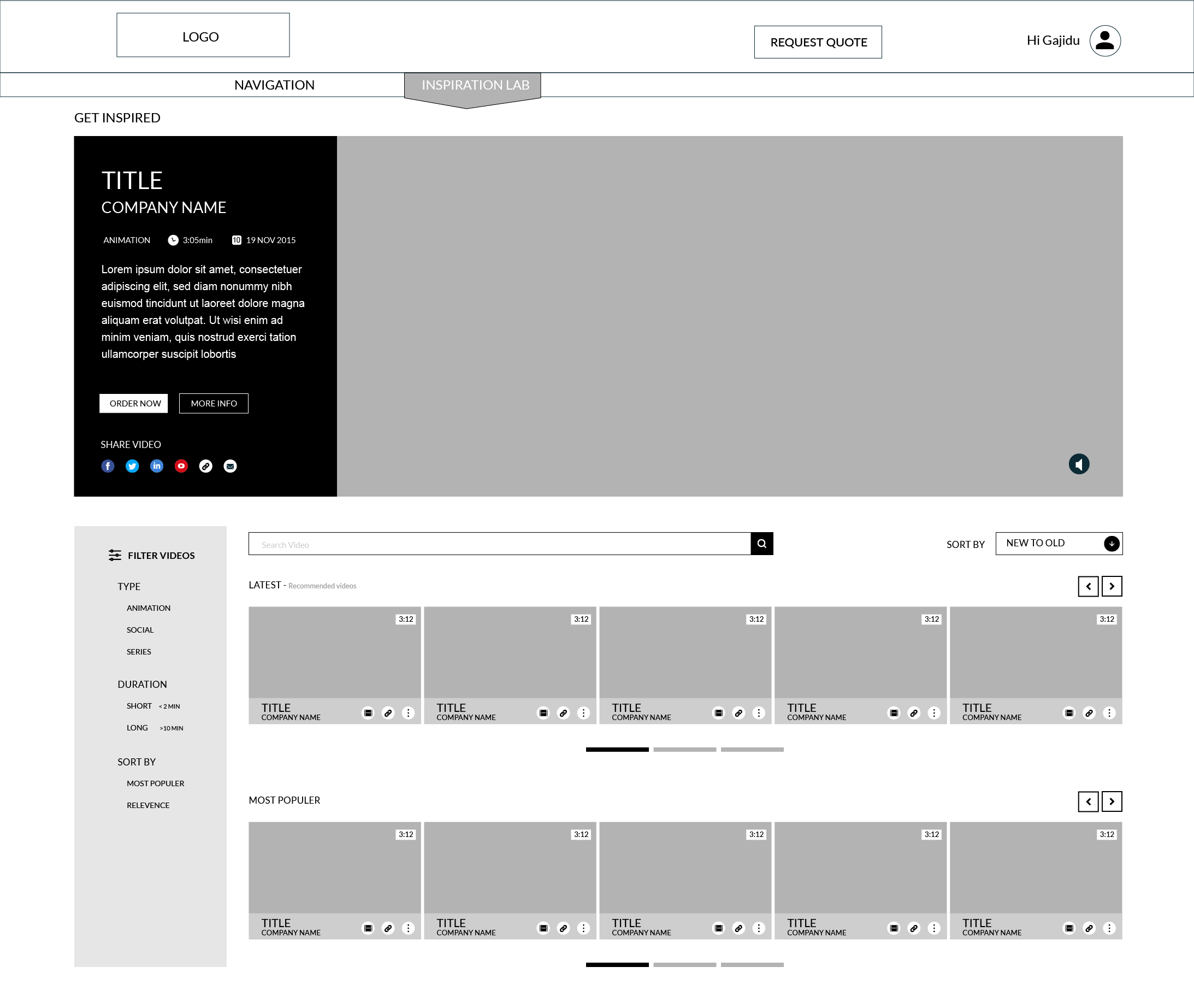
User Interface Prototyping
Overall, the usability test was very satisfactory. The general flow was found to be effective. I made several adjustments aimed at enhancing the flow further.
Measuring usability
After finishing the initial prototype designs, I tested them with a few customers, personas, and stakeholders. Once the testers and stakeholders were happy with the design prototypes, I started creating a more detailed prototype.
Key Takeaways
Challenge
As a UI/UX designer, the challenges faced during this project included:
- Understanding Diverse User Needs: Balancing the varying expectations of frequent and occasional users while ensuring the dashboard met all functionality requirements.
- Simplifying Complex Systems: Translating a cluttered interface into an intuitive and user-friendly design while retaining all necessary features.
- Stakeholder Alignment: Managing feedback from multiple stakeholders and aligning their priorities with user-centered design principles.
- Iterative Testing: Conducting effective usability testing with limited access to users and iterating quickly based on insights.
- Technical Constraints: Ensuring the design was feasible within the existing system’s capabilities and aligned with development timelines.
Lesson learned
Value of Simplicity: Simplifying complex user flows and interfaces significantly improved the overall user experience, emphasizing the importance of clear and concise designs from flowcharts to prototypes.
Importance of Component Libraries: Developing a well-structured UI library using components, variants, and frames enhanced design consistency and made updates more efficient.
Consistency Speeds Up Workflows: Adopting consistent design practices across prototypes and iterations streamlined collaboration with stakeholders and developers, saving time and reducing errors.
User-Centered Design: Engaging users early for feedback reinforced the value of iterative testing in aligning designs with real-world needs.
Communication and Collaboration: Aligning diverse stakeholder inputs taught me the importance of clear communication and balancing competing priorities to ensure project success.