CA Parant Portal
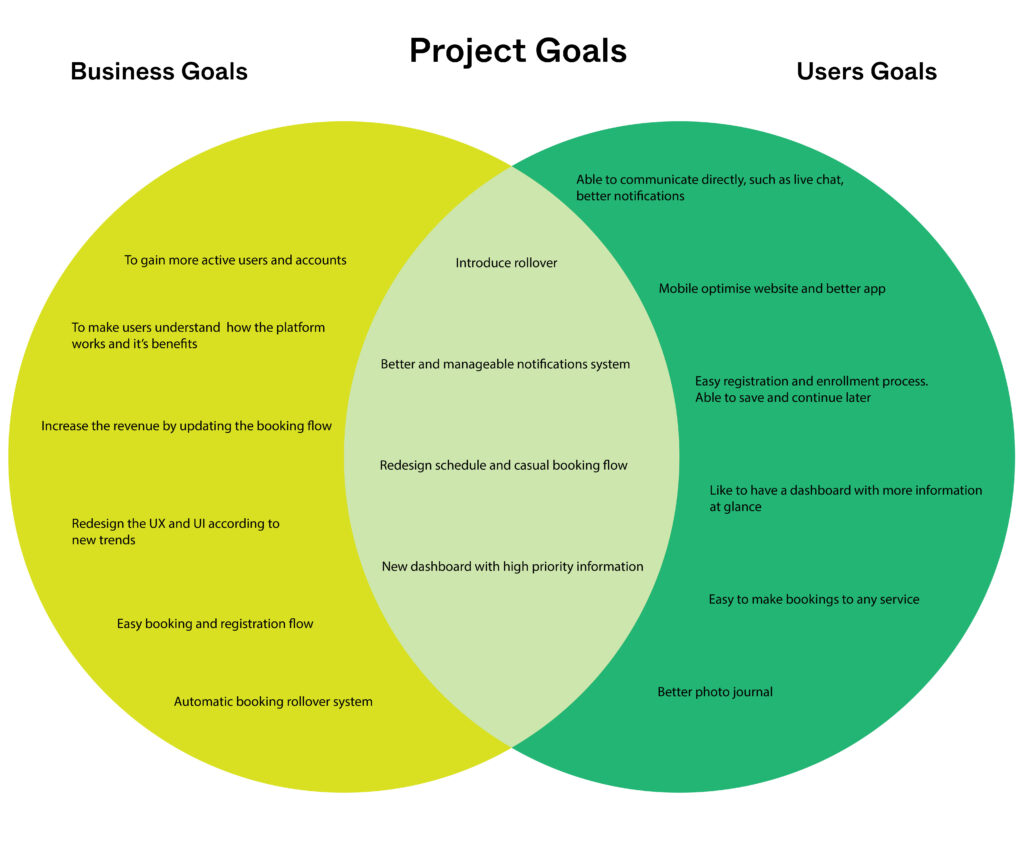
Overview: Improve customer experience; reduce dropout during the registration process and increase conversion to booking.
Role: UX researcher, UX/UI designer, Project manager
Toolkit: Adobe XD, Adobe CC, Confluence, Jira, Pencil and paper, Agile environment
UX Research
Background
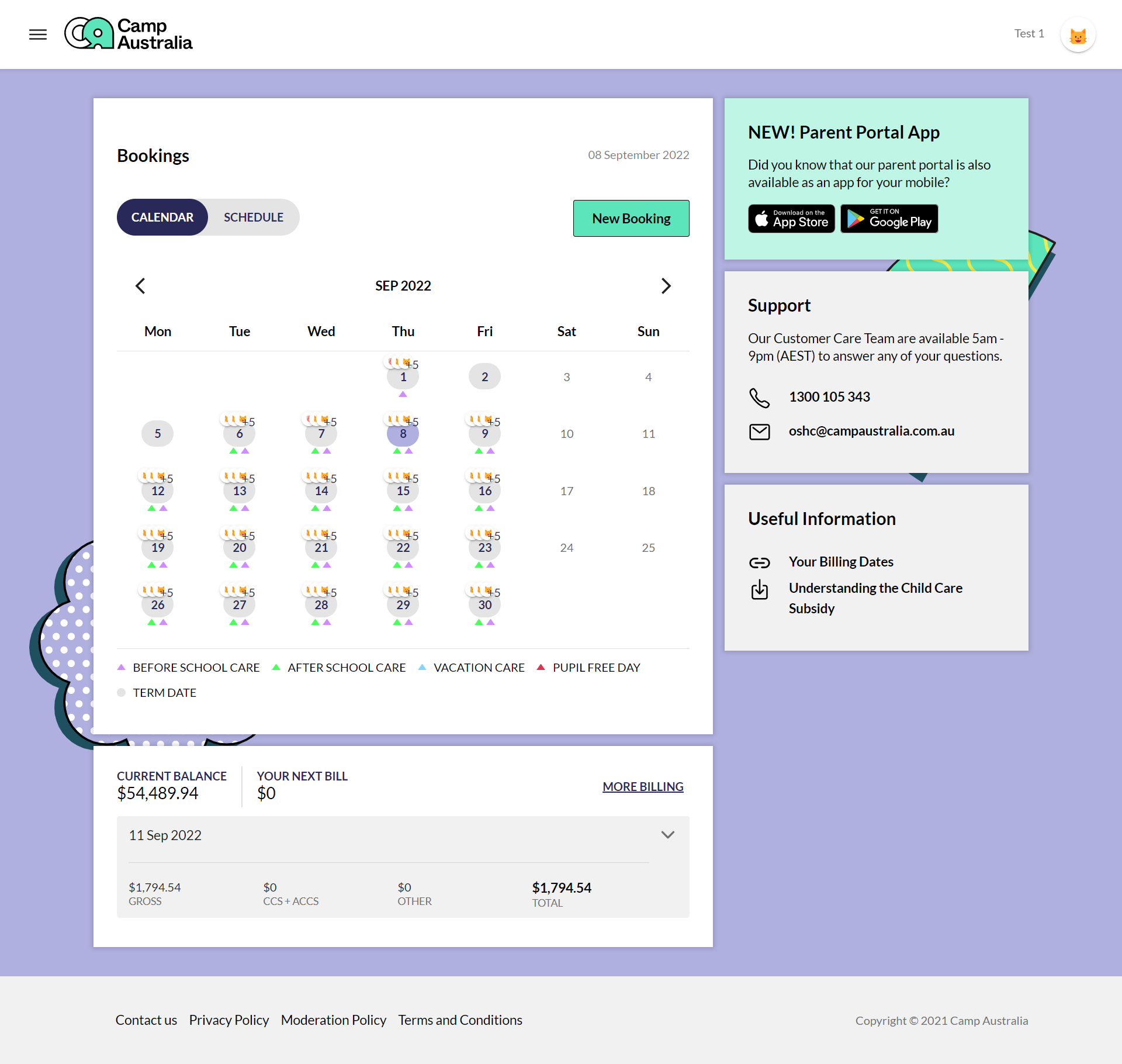
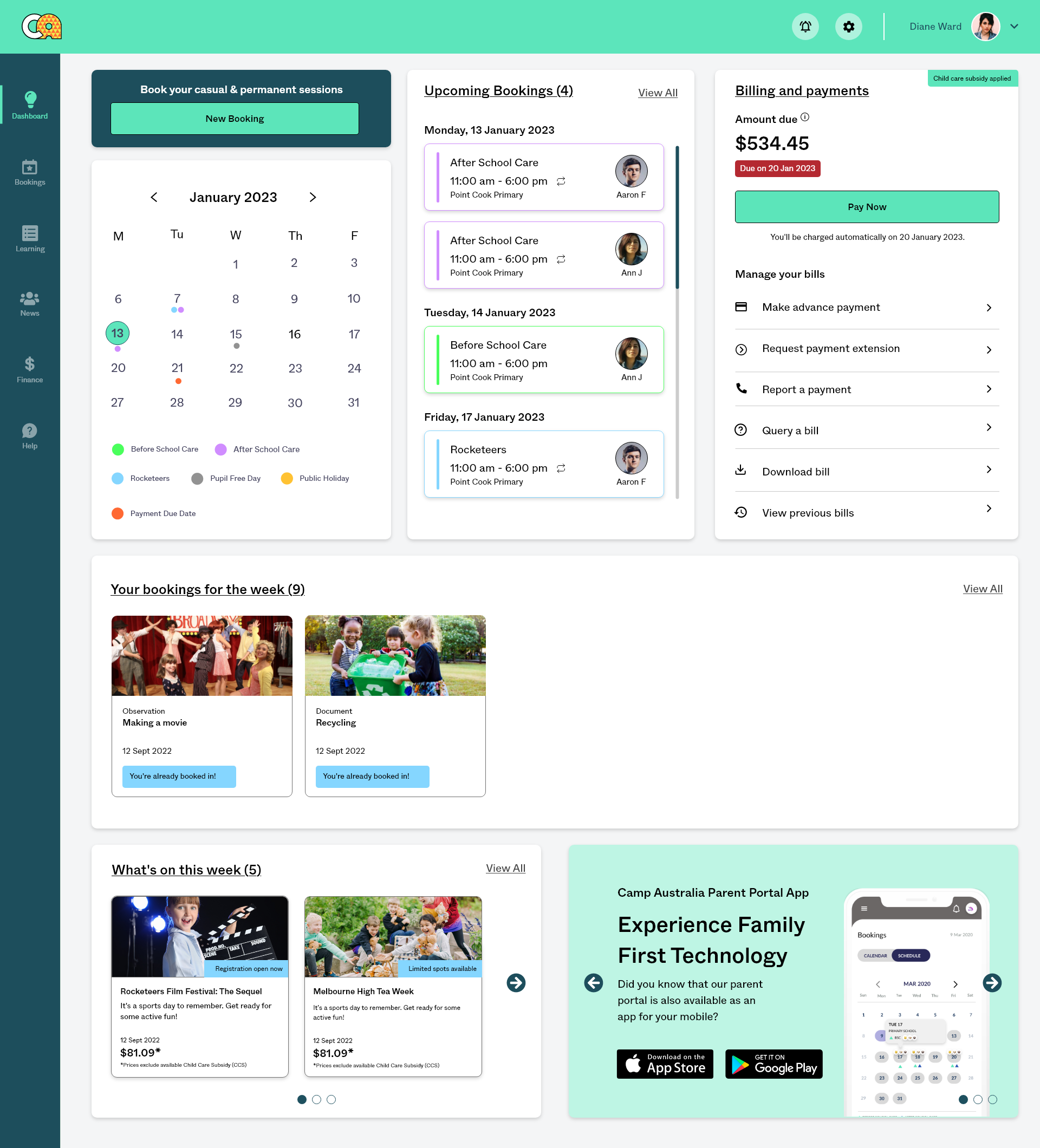
The Parent Portal Dashboard will be updated to include more information to parents at a glance and a better flow for accessing what they need.
Research Goals
We want to investigate how active users interact with the Parent Portal to understand their booking of services and streamline registration and enrollment.
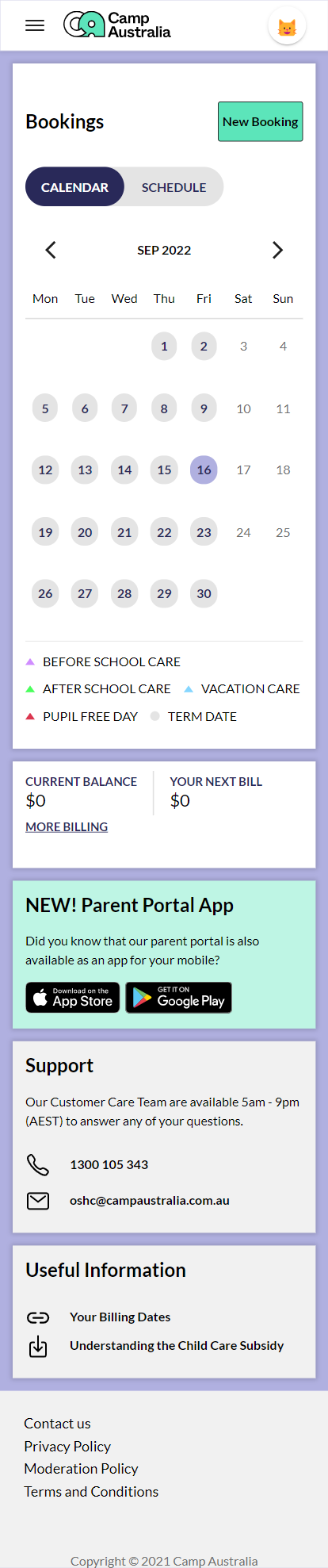
Current setup
Due to company privacy policies, I am unable to share all of my research.
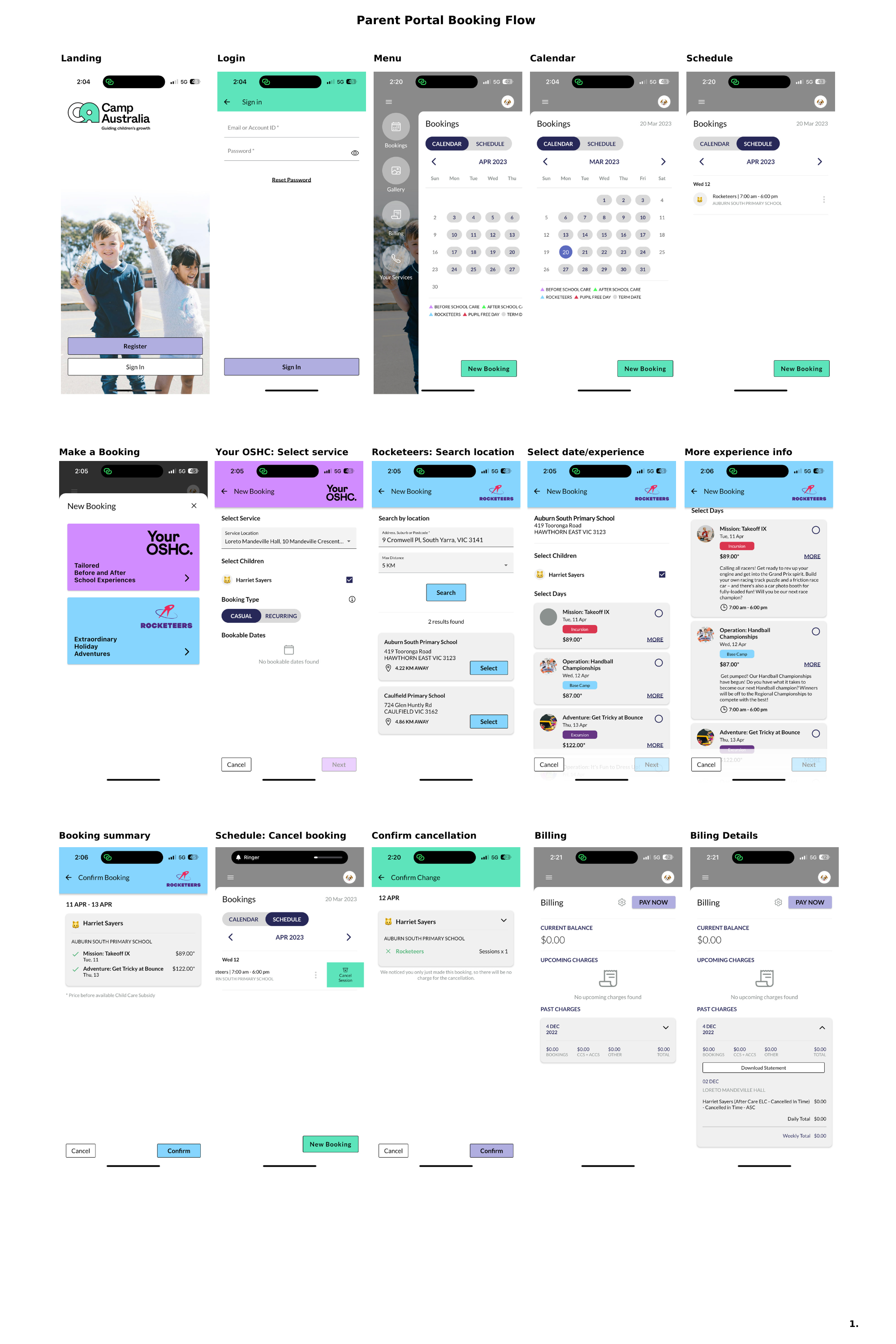
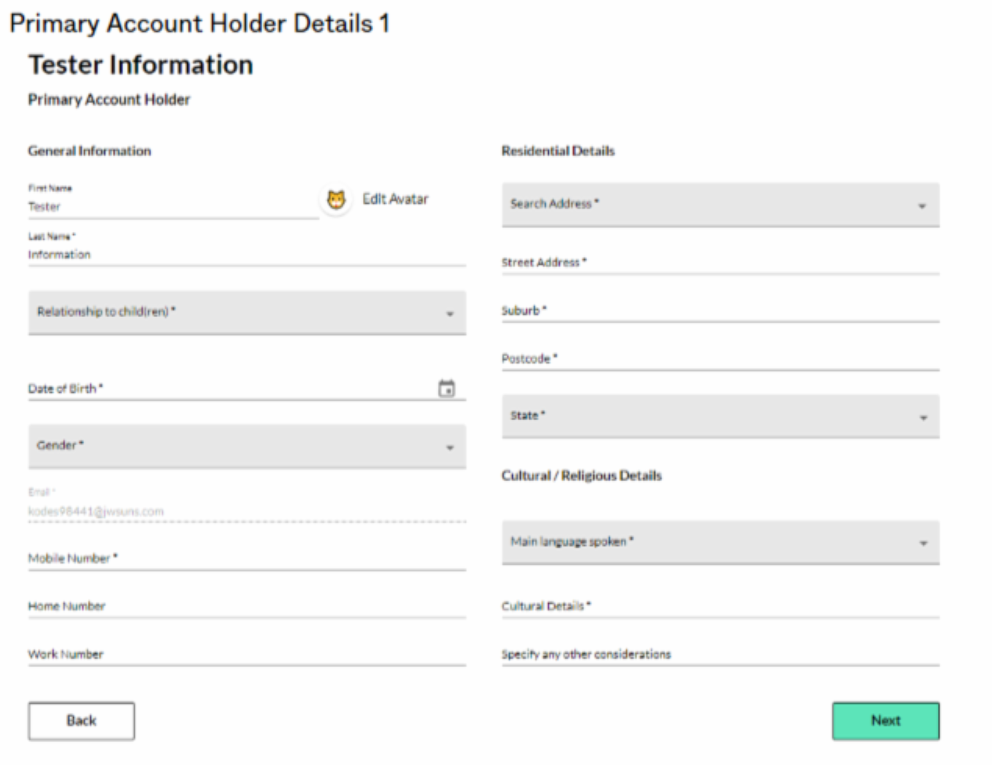
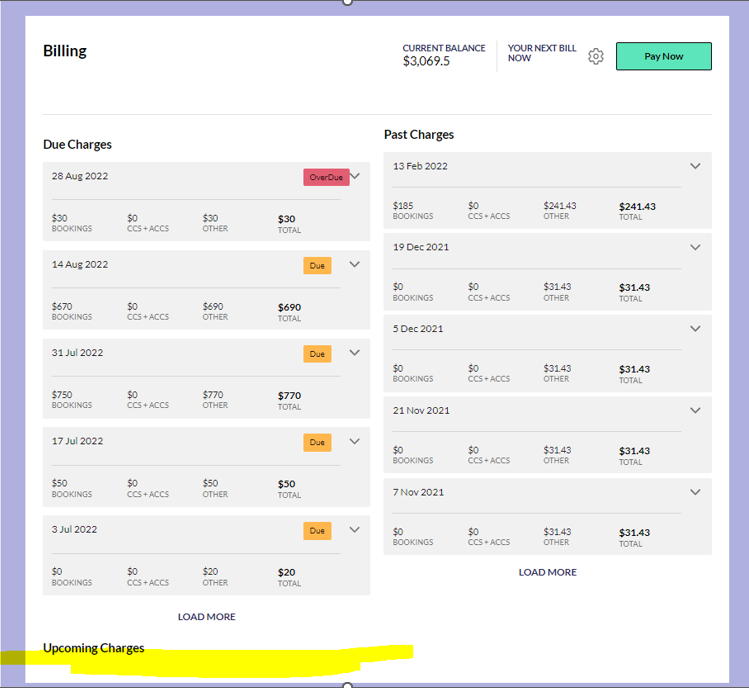
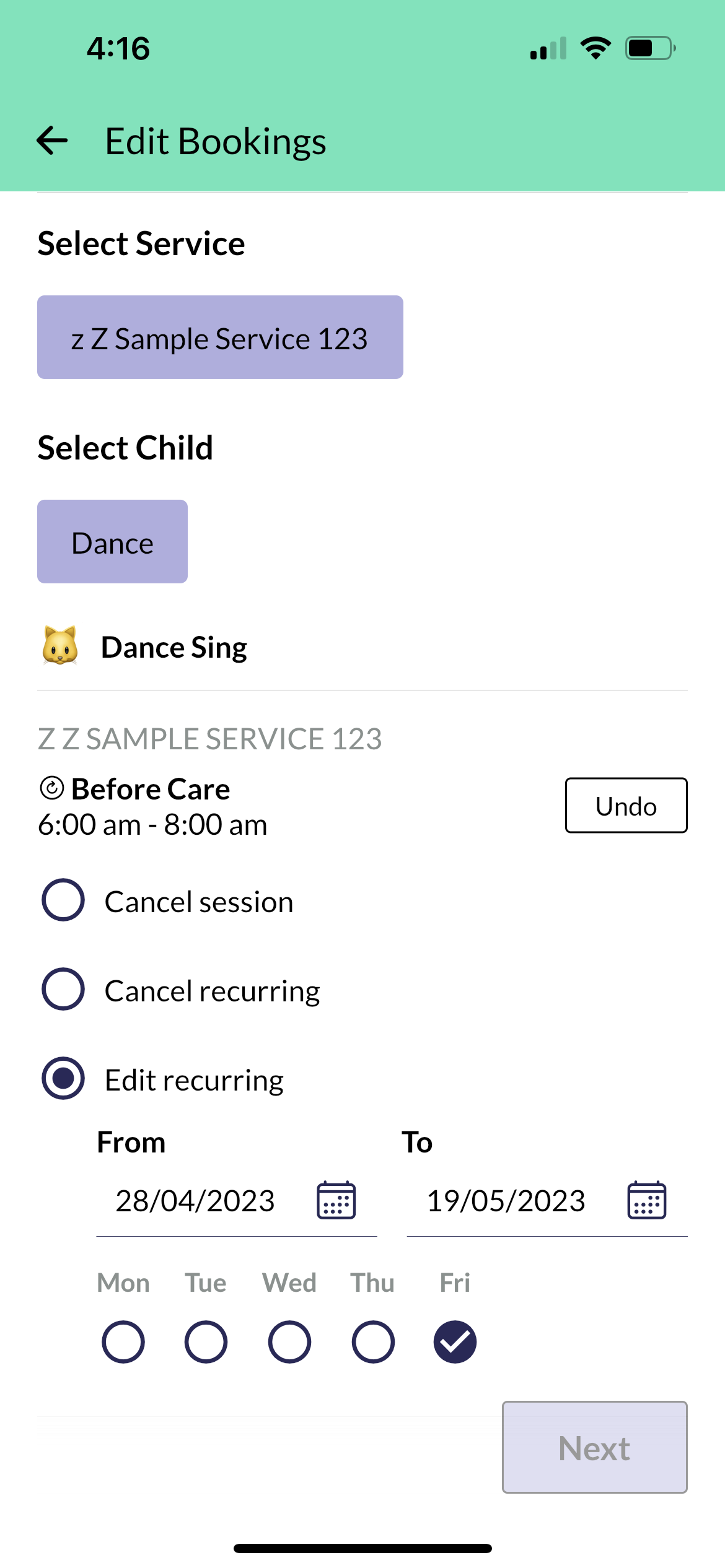
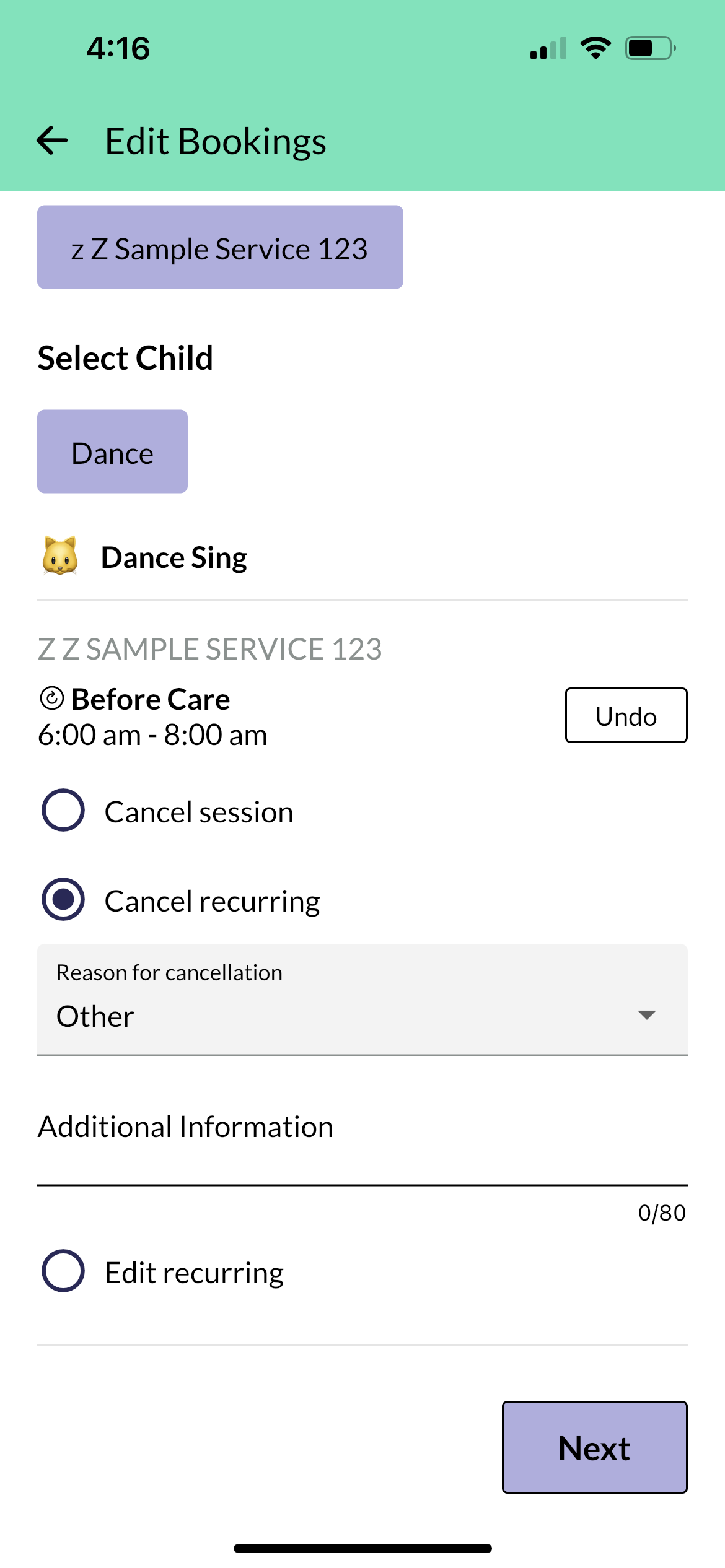
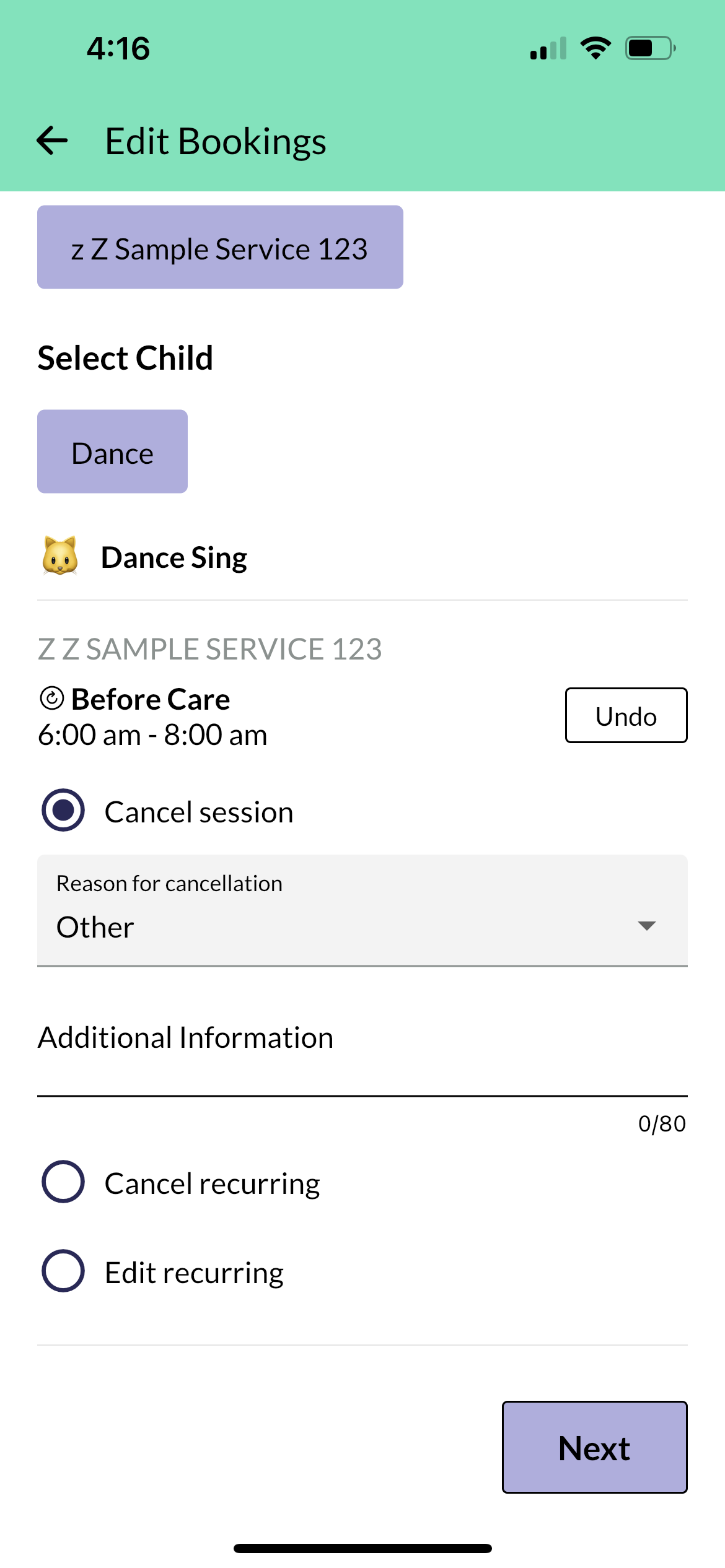
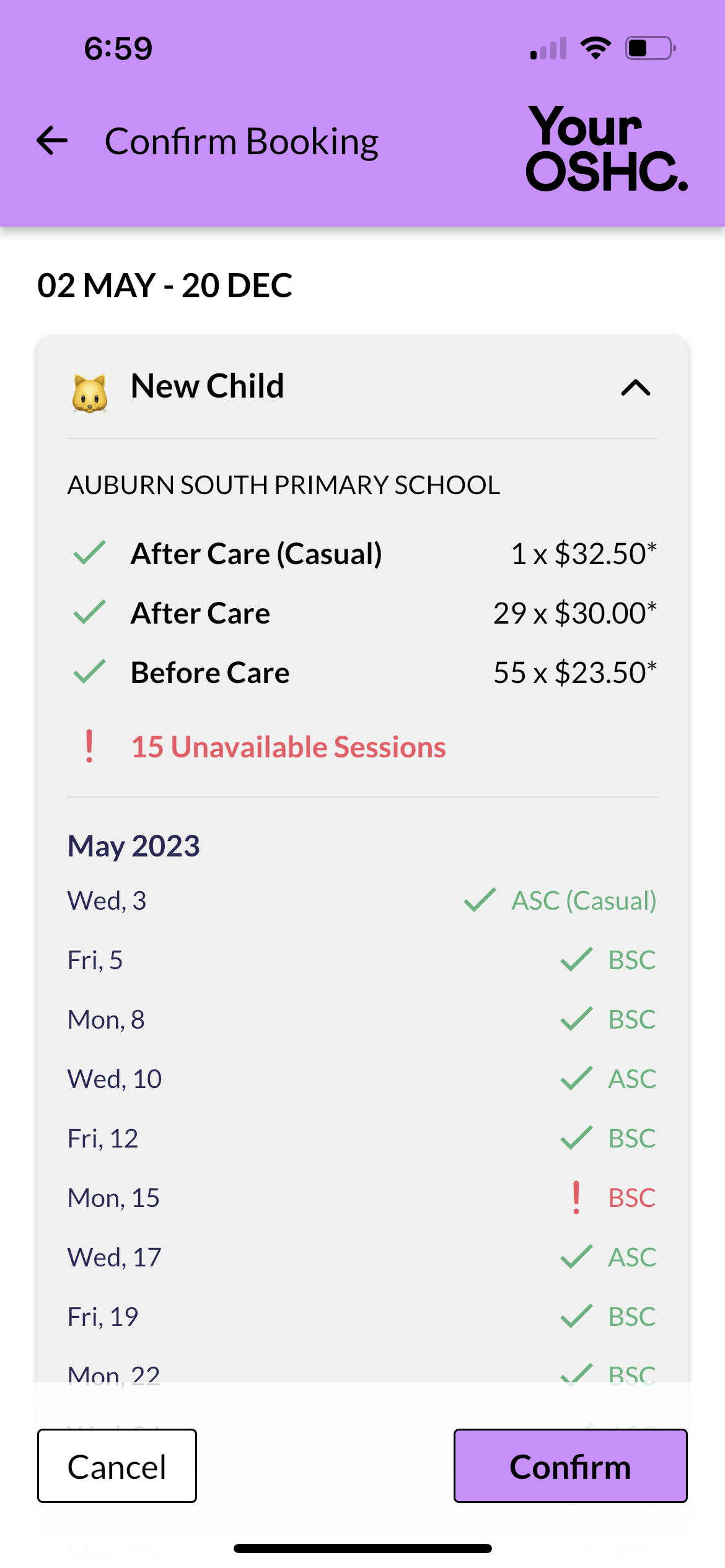
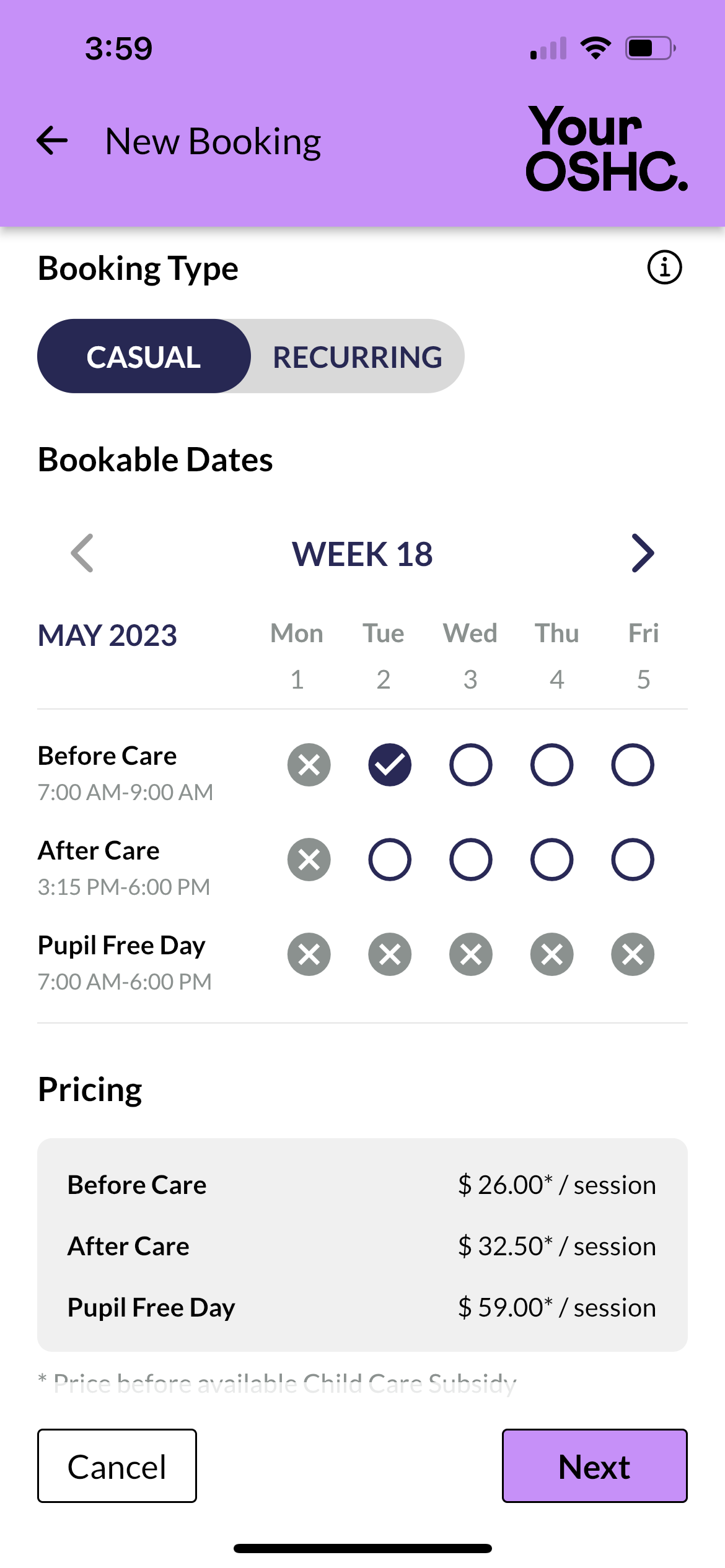
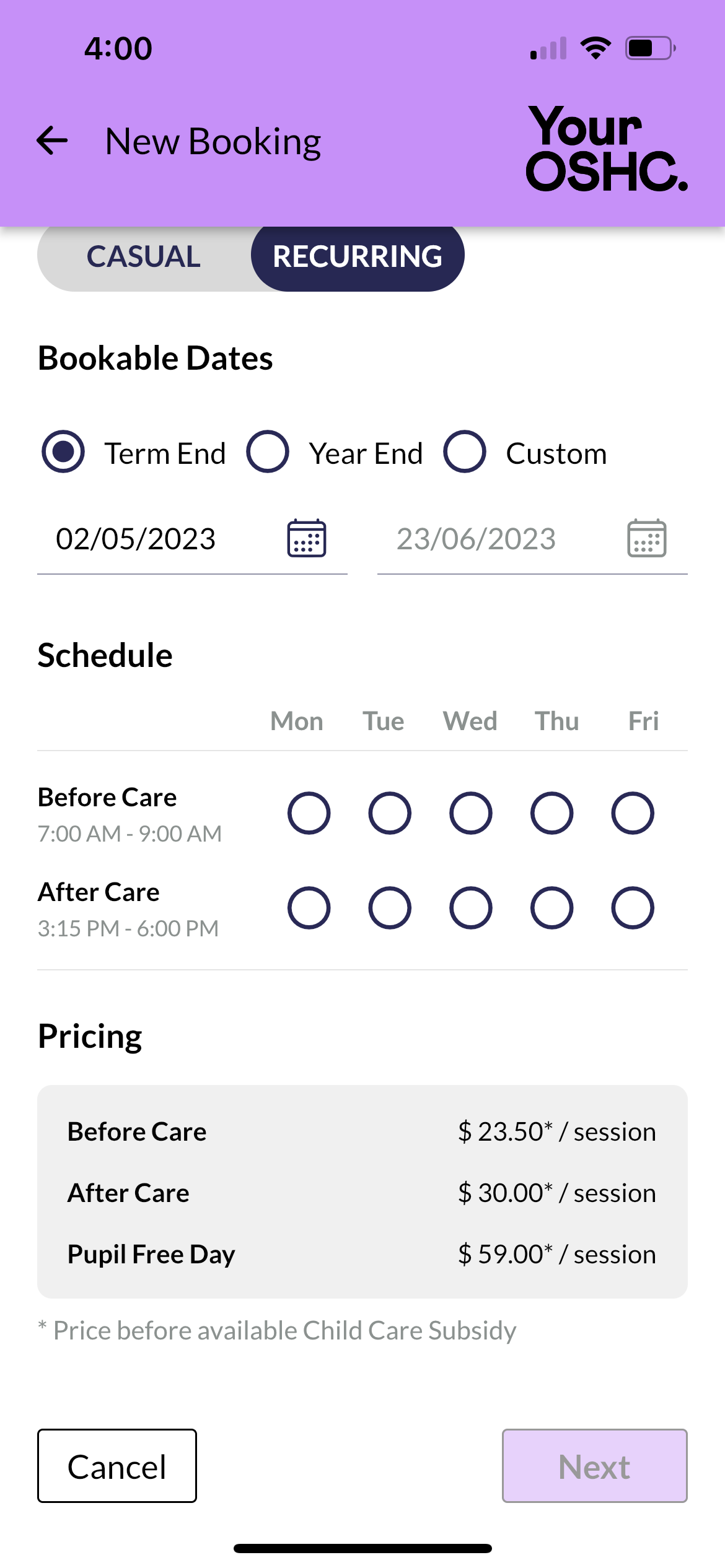
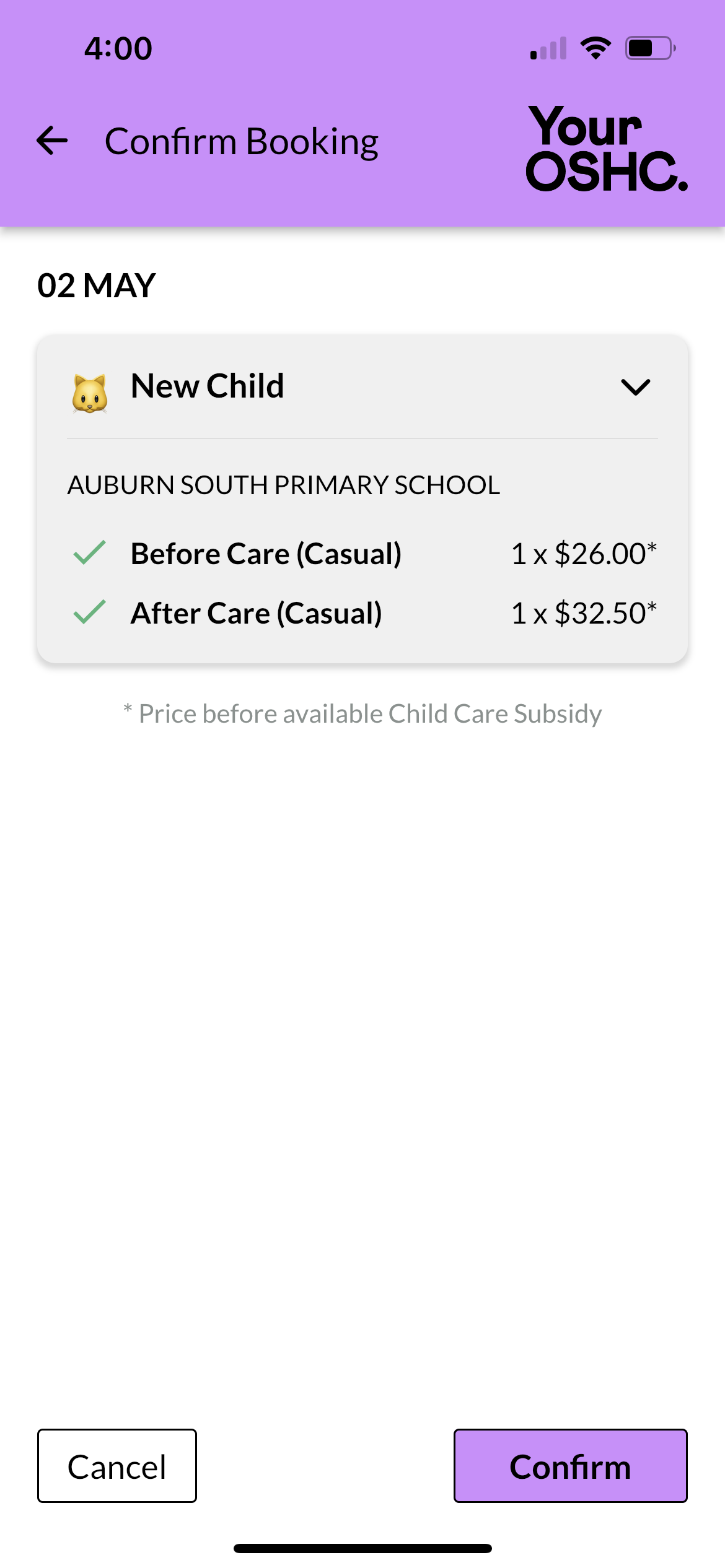
Click to enlarge
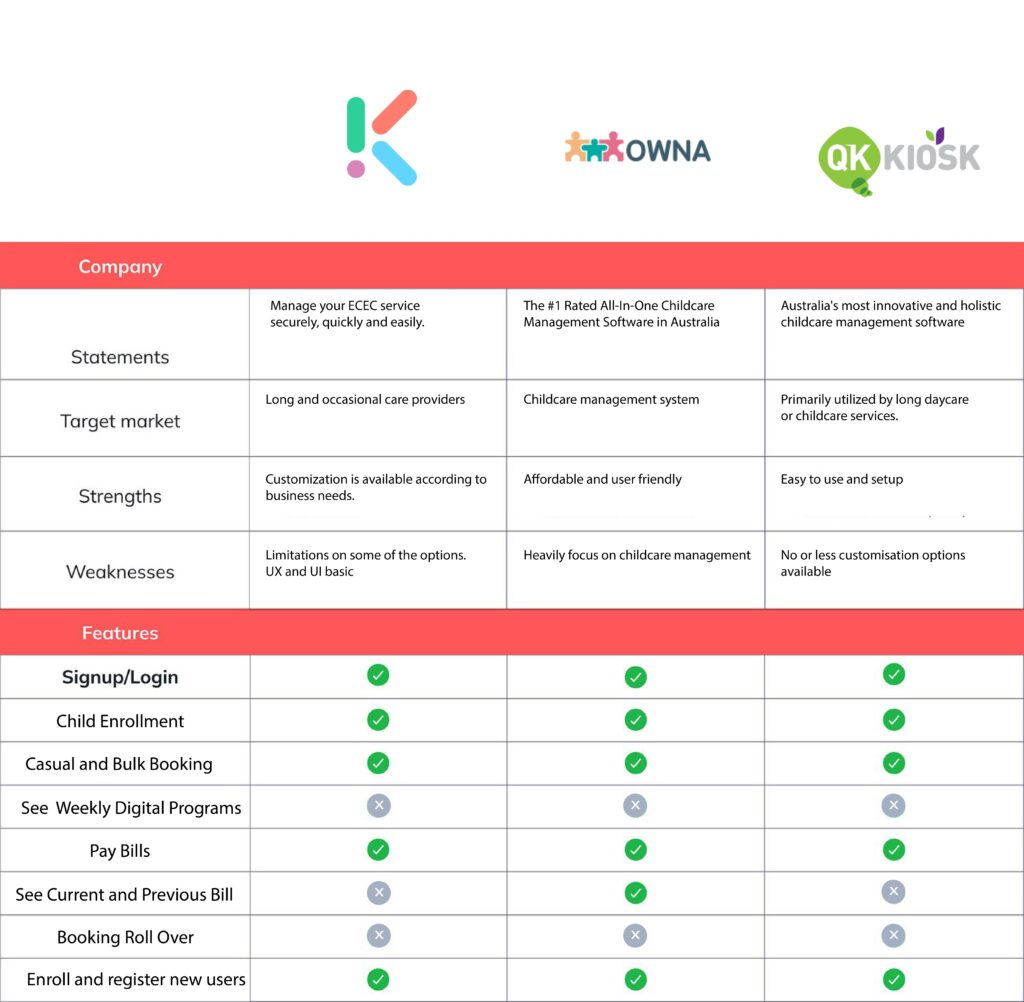
Competitive Analysis
The approach to start with competitive analysis laid the framework to better understand who my direct competitors were in the Childcare industry and what their strengths and weaknesses are. I could quickly see a gap in the market that our client offerings could fill.
*Due to company privacy policies, I am unable to share all of my research.
Research plan + Interviews
The interview process starts with creating a research plan. This outlines 7 key components:
Project background/problem
Research goals
Research Objectives
Research Questions
Methodologies
Hypothesis
Timeline
Research objectives
Determine how consumers make insurance purchasing decisions
Understand how users navigate competitor websites
Understand the visual aesthetic consumers are looking for
Learn what detractors stop consumers from converting into a sale
One-one Interviews
Most of the interviews took place via FaceTime or Zoom. This process took a week to solicit the right participants, schedule interviews, conduct interviews, and synthesize all the information for my research findings documentation.
*Due to company privacy policies, I am unable to share all of my research.
Age: 41
Gender: Male
Occupation: Supply Chain Logistics
Family status: Single Parent
– Main account holder
– Casual booking doing
– Relays on customer service to help him navigate questions and concerns
– Doesn’t like the booking flow and not mobile optimise
– No Holiday care options to book
– Would prefer to have a multi-booking option OSHC and Holiday care to make it simple
– Spoke to the customer support agent 2 times and said the support and customer service were excellent
– Both website and mobile app ( the mobile website isn’t mobile optimised ) with the current setup is not advanced enough to make it usable
– The whole process is anxiety
-Inducing until the information is clearly laid out
Age: 65
Gender: Male
Occupation: Retired Engineer
Family status: Married
– IMPORTANT TO NOTE –
Reid is Deaf with the ability to hear via a cochlear hearing aid
– Expert-level experience in booking services
– Overall pretty bitter about his experiences
– Looking after his grandchildren
– Would prefer to conduct business on a website and then if he has to use a phone
– The clarity of the product offering is always very unclear and confusing, which is frustrating
Age: 40
Gender: Female
Occupation: Business Innovation
Family status: Single / Divorced
– Moderate to Expert level experience in booking services
– Enrolling a child is very confusing
– Would like to be able to speak with a domestic agent to clarify any questions or concerns
– The Mobile app experiences haven’t been good because the apps are difficult to use
– Believes it’s less about the UX / UI of the app or website making booking service hard and painful, but rather the system itself is flawed
– Overall annoyed at all ends of the process!
User Persona 1
Mrs. Emily Parker
Age: 38 years old
Occupation: Marketing Manager
Background: Emily lives in a cozy suburban home in Melbourne with her husband and two children. She values education and believes in providing enriching experiences for her kids. Emily works full-time and relies on after-school services to ensure her children are well-cared for.
Engaged and Supportive: Emily actively participates in her children’s education. She attends parent-teacher meetings, volunteers at school events, and encourages her kids’ interests.
Structured: Emily believes in routines and ensures her children have a balanced schedule that includes homework time, play, and extracurricular activities.
Interests and Hobbies:
Cooking: Emily enjoys experimenting with new recipes and often prepares healthy meals for her family.
Gardening: She tends to a small vegetable garden in her backyard, teaching her kids about nature and sustainability.
Reading: Emily loves reading parenting books and stays informed about child development.
Challenges: Balancing work, parenting, and personal time can be tough. Emily sometimes feels overwhelmed but remains resilient. She worries about her children’s safety and well-being when she’s not around.
Favorite After-School Activity: Emily enjoys picking up her kids from after-school care and hearing about their day. She often engages in creative play or outdoor activities with them in the evenings.
Dream for Her Children: Emily hopes her children grow up to be compassionate, curious, and confident individuals who pursue their passions.
User Persona 2
Mr. Carlos Rodriguez
Age: 32 years old
Occupation: Part-time janitor
Background: Carlos lives in a small apartment in a working-class neighborhood. He is a single parent, raising two children: Luis (age 8) and Maria (age 6). Carlos works long hours to make ends meet, often taking on extra shifts.
Financial Struggles: Carlos faces financial challenges due to his low income. He worries about providing for his children’s basic needs. After-school services are essential for him, as they offer a safe place for Luis and Maria while he’s at work.
Resourceful: Carlos finds creative ways to stretch his budget. He shops at thrift stores and prepares simple, nutritious meals.
Supportive: Despite his own struggles, Carlos encourages his children to pursue education and dreams.
Interests and Hobbies:
Community Involvement: Carlos volunteers at the neighborhood community center, helping organize events for other families.
Soccer: Luis and Maria love soccer, and Carlos attends their games whenever possible.
Challenges: Carlos worries about the quality of education his children receive. He dreams of a better future for them. Finding affordable extracurricular activities is a constant struggle.
Favorite After-School Activity: Carlos appreciates the after-school program’s homework assistance. It ensures Luis and Maria stay on track academically.
Dream for His Children: Carlos hopes Luis and Maria will overcome their circumstances, pursue education, and break the cycle of poverty.
Research Findings

Finding the right angle
Effortless registration and enrollment process

Timing your freedom
Make bookings on mutiple devices

Adding more options
Able to access all the available services
UX Design
UX Design
Features Roadmap
After a first draft of P1 features, I’ve realised I had to reduce the effort to just as enough features as the Parent Portal needed. In the final version I’ve included basic features such as signup, settings and search as well as special ones like Rollover or New booking system
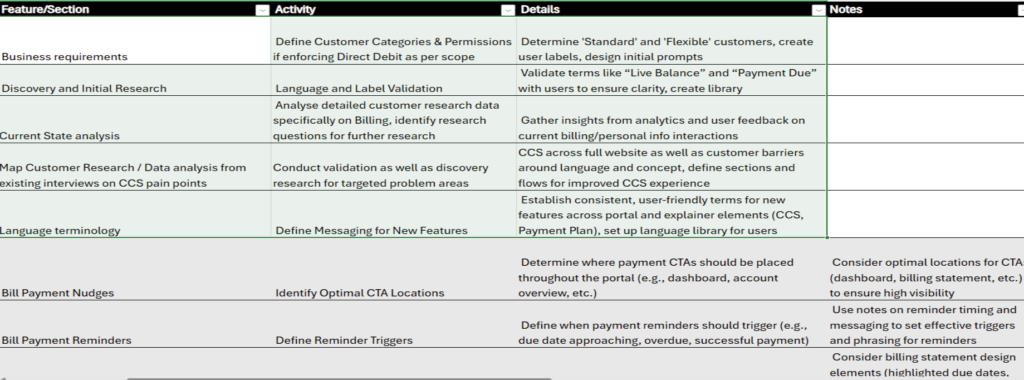
*Due to company privacy policies, I am unable to share all of my research.
Information Architecture
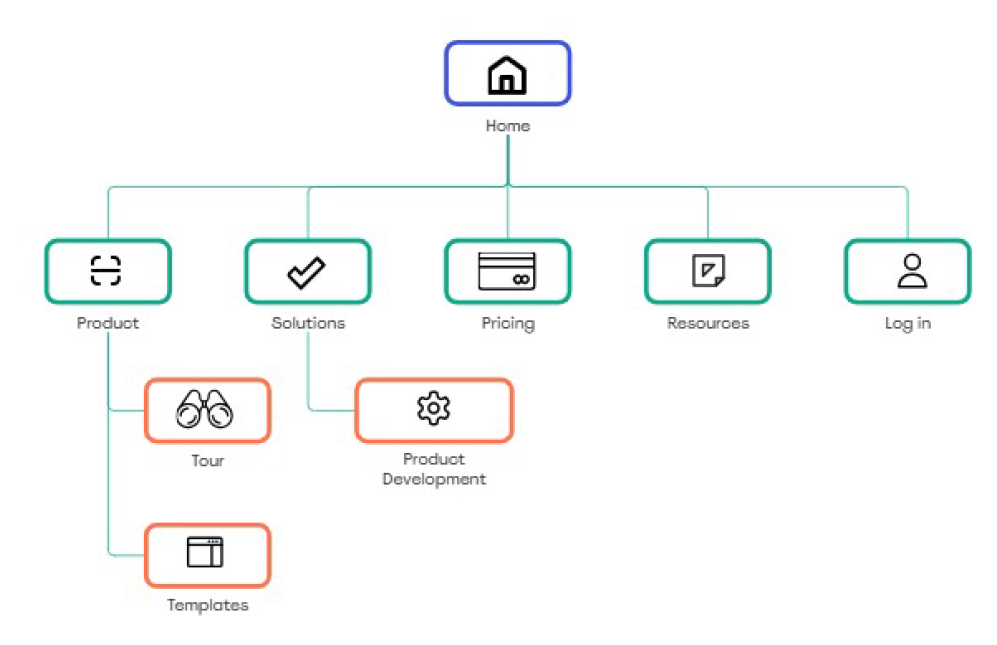
I’ve built a sitemap considering primary, secondary and tertiary navigation. Firstly, I’ve developed the primary navigation by defining which main actions users might have taken: Dashboard, Booking, Finance and Help. Secondly, I’ve explored and expanded each one of the those sections.
User Flows
I’ve immediately identified my two user flows:
• Register new user
• Booking
The idea here was that for users to be able to actively use the application, they needed to enrol children and book for OSHC and Holiday programs
Wireframes
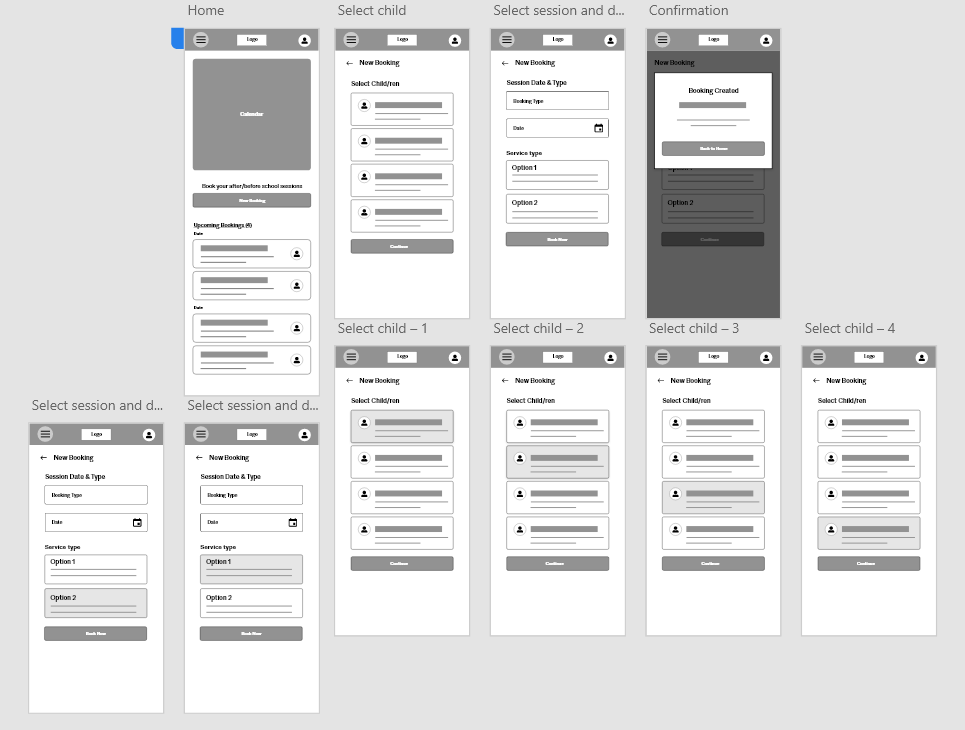
For the first flow, I’ve developed homepage and booking screens, which I’ve divided in 4 main steps: General information, product bookings, digital programs and invoice/bill. For my second flow, I’ve focused my attention on user profile setup, categories, booking system and checkout.
UI Design
High-fidelity key-screens
Prototype
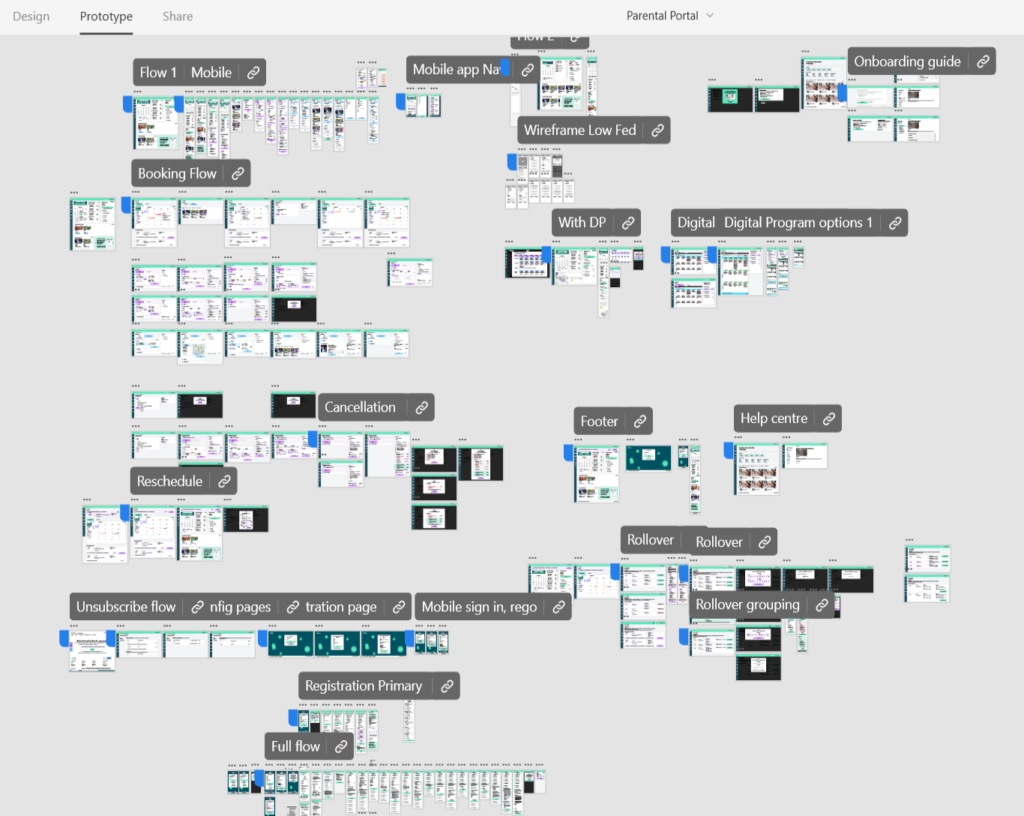
I have primarily focused on components and variants throughout the entire project. I have also collaborated closely with business analysts and stakeholders. Additionally, I always consult with the development team to ensure a positive development experience. As a result, building the prototype was quite straightforward.
*Due to company privacy policies, I am unable to share all of my research.

Desktop dashboard and booking flow
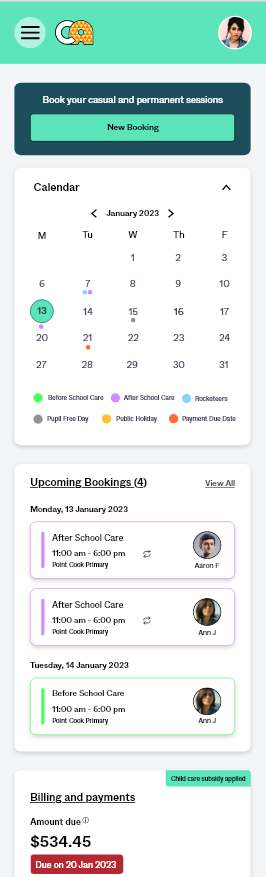
Mobile dashboard and booking flow
Outcome
Overall, the usability test was very satisfactory. The general flow was found to be effective. I made several adjustments aimed at enhancing the flow further.
What Worked
- New dashboard and information presented
- Booking flow is easy to use
Benefits
- Casual multi dates booking
- Notification center
Iterations
High-fidelity key-screens
To enhance the casual multiple-day booking experience, I have updated the process after reinterviewing the users.
*Due to company privacy policies, I am unable to share all of my research.

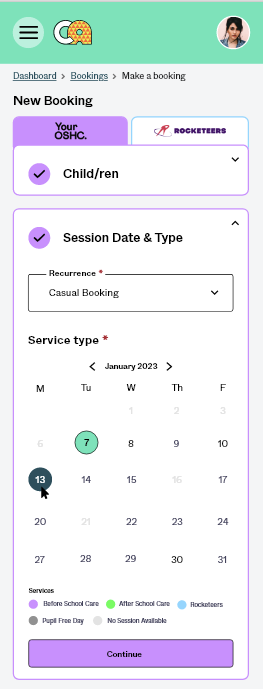
Mobile booking flow
Other Enhancements
Automate or self serve Rollover procedure
Booking rollover is an annual process that involves identifying schedules (or schedule-like behaviours) & rolling these schedules into the new year. This process is essential for many downstream purposes, for both Camp Australia & for parents.
After rolling over the identified schedules, bookings for the new year would be opened up for families without identified schedules to take.
The booking rollover process has historically been handled manually.
*Due to company privacy policies, I am unable to share all of my research.
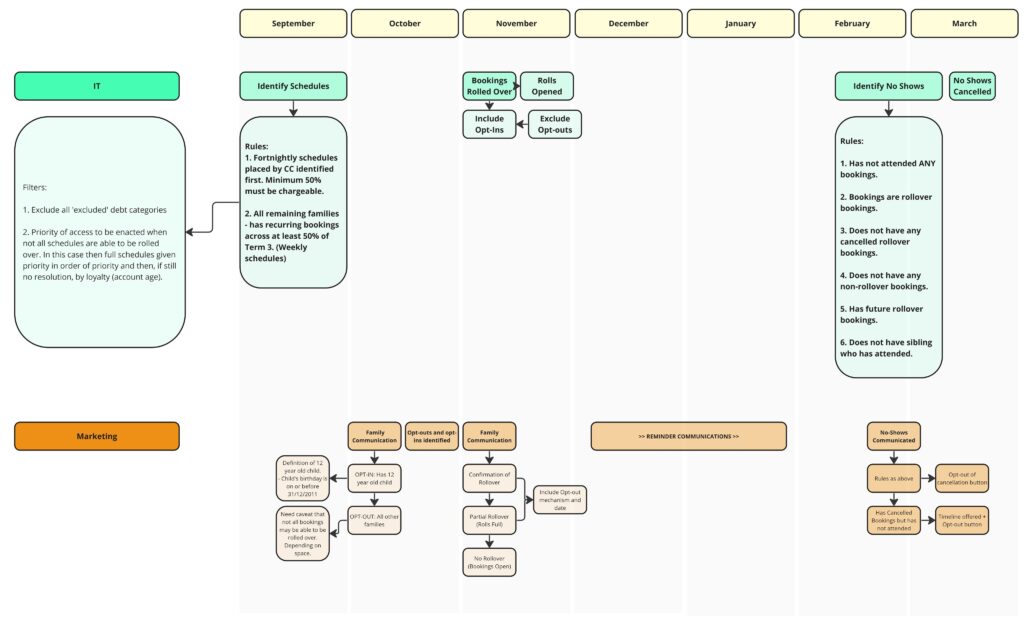
Note: some information may have changed along the way, this image is simply an example of an early rollover plan
We will be looking to update parts of the booking rollover process.
Some key pieces of work that will make up this year’s rollover:
Setting clearer schedule identification rules
Plus rules for cohorts to separate users for later steps
New page in the Parent Portal, providing the opportunity to Opt In/Out
Optimisation for:
Identifying schedules
Notifying families of their proposed schedules
Processing opt in/out responses
The rollover of bookings
Rollover data exposed to PowerBI
Just After Release this Feature...
- 3,585,320 bookings due to be rolled over (~38% increase YOY)
- 52,920 additional bookings due to ‘edit booking’ feature – almost $2m additional revenue uplift estimated
Other adjustments to enhancing the user flow
Key Takeaways
Challenge
It is essential to make a significant effort in prioritization while creating a Parent Portal. This involves gathering all relevant stakeholders, including top management, business analysts, the marketing team, developers, and testers.
When designing an application form, it’s important to consider the detailed aspects that users may need.
I am currently focusing on enhancing the application, specifically working on the billing and financial aspects.
Lesson learned
The effort of keeping it simple can make a difference in the final outcome, starting form flowcharts up to the prototype experience
The importance of a well-designed UI library, that is built up using components, variants and frames
Designing in a consistent way can truly help speed up the whole process
Agile Working Environment with Small Sprints
The Parent Portal project has been developed using Agile environment, where tasks are systematically divided into smaller, manageable sprints. This approach facilitates iterative progress, regular feedback, and the flexibility to adapt to changing requirements, ensuring that the project remains aligned with stakeholder goals. Each sprint focuses on specific objectives, enabling the team to deliver functional increments and continually refine our strategies based on insights gained throughout the process.